Here is a list of major ushin projects envisioned and tested; offline and online.
MVP Still Emerging
u4u WordPress Plugin
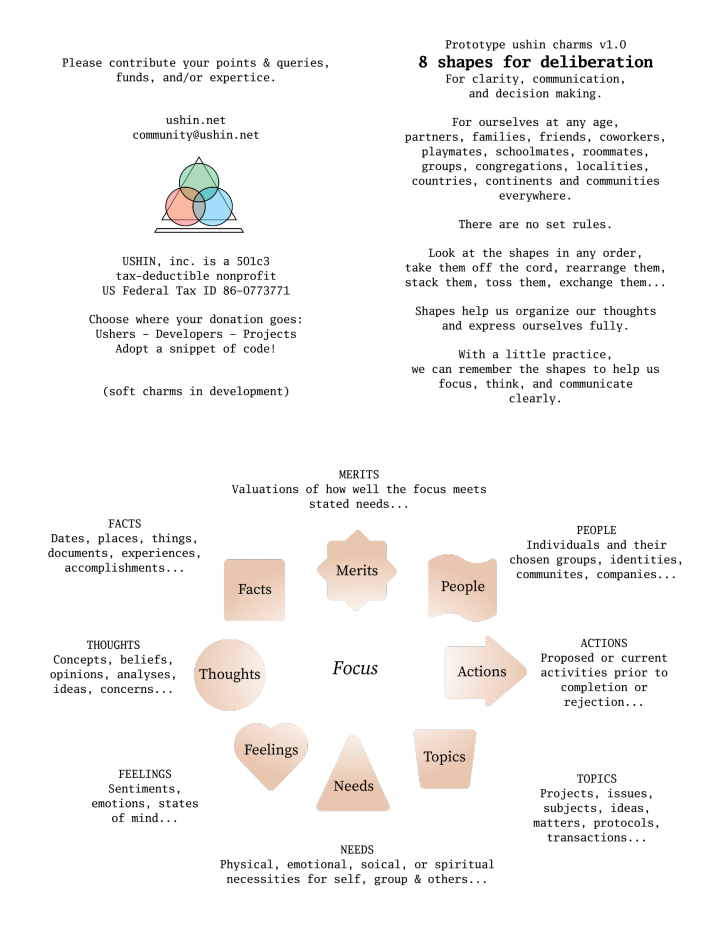
8 shapes for deliberation

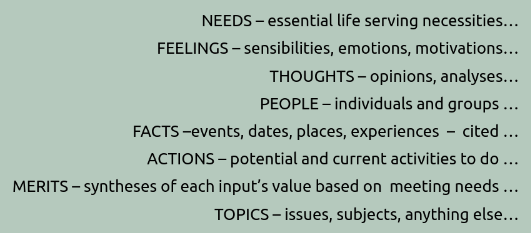
face to face – ushin shapes offline

Offline shapes and shape-based tools were fashioned with wood, cards, games, cardboard shapes, clay, cloth and laser printed. They function well as a mental framework for comprehensive thinking with or without tools.
U4U Paper Mockup
Below is a film of a paper model of what we are building for online use. There are basic features missing, but the model is remarkably revealing of how a communication might occur in a basic U4U instance.
Booklet with card sets ushin
[download booklet]
Examples of face to face ushering
Examples of f2f deliberation
- round table class deliberation
- park bench co-counseling
- considering a move
- neighborly dispute
- relationship go-to
- kids in class holding up needs
- feedback for caterer
- nuanced discussion
- pattern recognition
- group counseling – undefined shapes for integrated emotional expression
- comparison of options
- meetups through Local Calendar Event
USHIN Tools
The eight ushin shapes can be physical objects, like charms or paper templates.
Shape Templates
DIY Delib Tools
Online and offline ushering
Students of a college course at the University of Arizona participated in face to face and website-based experiments during the several years of the community-wide course, What is Politics.
The semantic screen used at that time was a 3×3 grid of WordPress forms on the then ushin site:
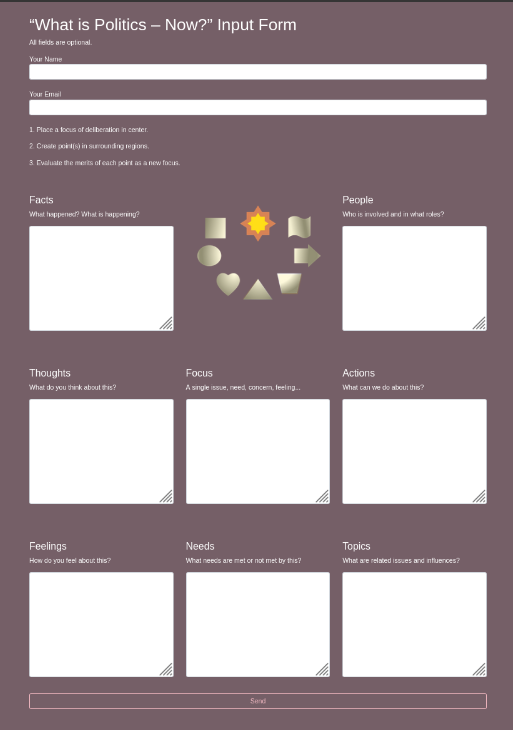
Most of the experiences were paper-based, using printouts that users filled in by hand. There were group meetings such as an analysis of the course itself. A prompt was posted in the center of a large board room table with the 8 shapes represented around the rim. Students walked around the table adding input related to their feelings, needs, suggestions … for teacher feedback and to spark deliberation.
U4U online instances

Original concept and big picture
Originally the ushin network presented with a possibility of privacy within one’s own self-managed digital medical home. This would have been stored locally or on a privately accessed VPS or other remote repository mananged by the user or medical advocate. Features were envisioned to share only what we wanted to share only with people with whom we’d want to share our personal info. In so doing there would be the growth of an evolving health-related database for information and connection among professionals, and the public – anyone, including payors, educators, device and pharmaceutical providers, regulators and decision makers.
People would strip their own identifiers and share generalized data with relevant factors to co-create a useful knowledge base for the benefit of everyone. A structure was conceived involving levels of groups chosen by people and other groups to curate and scrub personal data for anonymized statistics. New distributed federating technologies could potentially coordinate data and maximize privacy and stability.
The concept was described in several different booklets, including one for policy makers and another for the general public.

Public benefit
Health related information stripped of personal identifiers would form an open public database. An informed public would freely access all kinds of information from different factors and perspectives. The system would be ongoing, ever changing, current and comparative. People’s informed choice based on shared health outcomes would drive best practices.
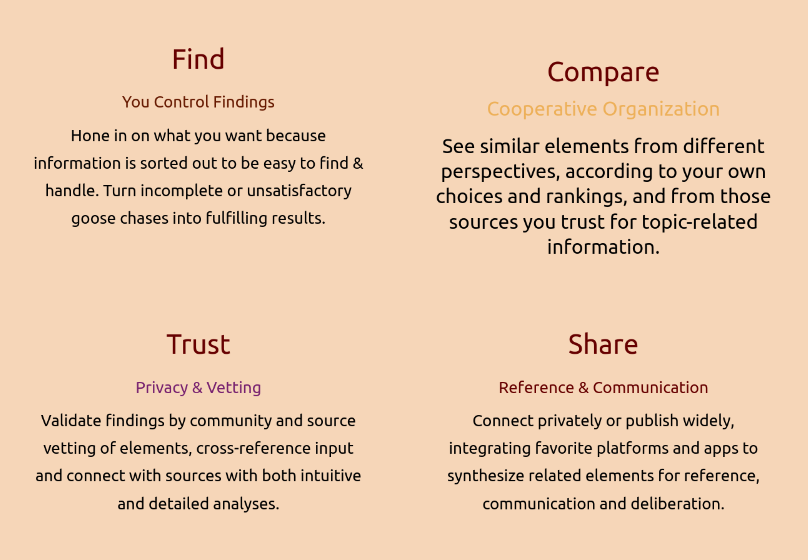
See imbue.im for an artistic project in development – telling the history of USHIN, Inc. and the role of deliberation in an evolving history of human health and freedom.
The ushin vision of a mature deliberation system has been to offer tools for people to easily tag input on semscreens and view input in various displays for finding, comparing, evaluating data toward a highly extendible shared database.
As free and open source gifts, the ushin tools are freely offered for other platforms and websites to provide the ushin tools to their users. The vision was that when ushin shapes are recognized by various platforms and protocols they become universal building blocks toward open, expanding, deliberation among disparate groups.
Users, groups and systems create and deliberate their own indexing systems, taxonomies, connecting terms, definitions, synonym and disambiguation techniques +/- ushin shapes. As a distributed system these may remain separate, and in time the building blocks will be deliberated to find common tools for handing input.
The shapes, ushin tags, may be recognized as “hooks” of a shared protocol with custom settings and curation guidelines and lists. Recent technologies have proven the concept of interoperability, see below.
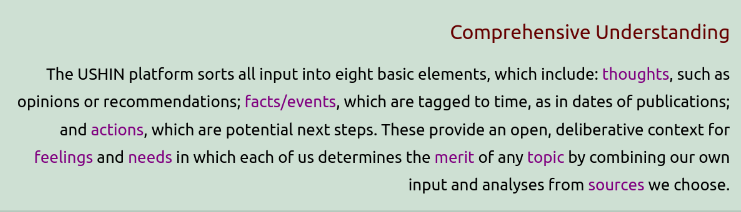
U4U is the online user experience of tagging with ushin shapes using various interfaces, primarily displaying information on a semantic screen. The ushin semantic screen, or semscreen, is a gamified way to sort information by the 8 kinds of meanings.
Sorting out points
Sorting information for basic meaning is the first step in deliberation. USHIN uses shapes to imbue meaning to main and supporting points. This software makes it pleasurable to tag points with 8 shapes.
Gamifying Semscreen
The semantic screen was designed to make it fun and easy to sort out one’s points, and study a focus from different perspectives.
Early Mockup of the Semscreen
https://github.com/USHIN-Inc/u4few-app/wiki/Semantic-Screen-UI-Components
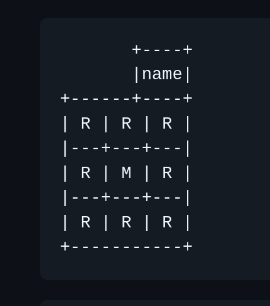
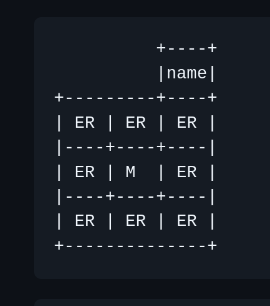
M = main point, or focus
R = rim regions for supporting points
ER = Editable Rim, for drafting semscreens about a published focus
Note: Any type, tap or paste expands that region to read or edit.
Published semscreen with username, main point and rim points:
Draft of a semscreen deliberating a published point:
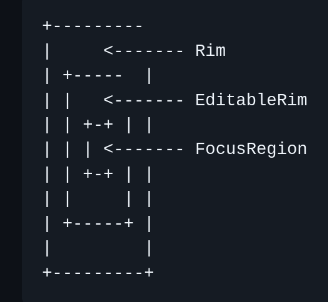
Old terminology, from the inside out, for a main focus point in center, surrounded by supporting points to edit, and an outer rim with further options and information about the shapes:
U4U apps: built
See http://ushin.org/software for an overview of ushin software, links to working models, public git repositories, and presentations.
u4u.io: actively being developed, see below
The semantic screen is modeled by the first iteration of u4u, a react app using the Hypercore protocol.
NOTE: The network aspect is currently broken. The browser app demonstrates only some of the semscreen functionalities.
See https://u4u.io for a working semscreen, pending backend for storage, sharing and other features. Code is at https://git.sr.ht/~ushin/u4u
u4u-org-p2p: Emacs community maintenance
Emacs instance
The dev team’s priorities were to model ushin concepts and create a working peer to peer “backend” in a development community receptive to p2p connectivity ideas. For those familiar with emacs the software lets peers share files +/- ushin or other tags. There was discussion about whether and how peers would be publicly and privately ranked and included in lists of information sources.
The p2p sharing “backend” developed in the emacs environment allowed tagging with ushin “shapes” and unlimited file types.
See ushin.org for a novel method for connecting peers for direct sharing of any file type, for people familiar with the Emacs environment. Emacs is a long-lived, community-driven, free software editor “plus” many features to make it easy and fun to develop U4U.
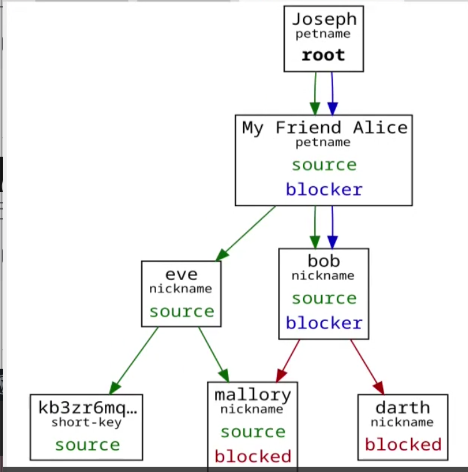
ushin.el demonstrated file sharing with an option to add ushin shapes
This is available in the emacs environment, and described at ushin.org.
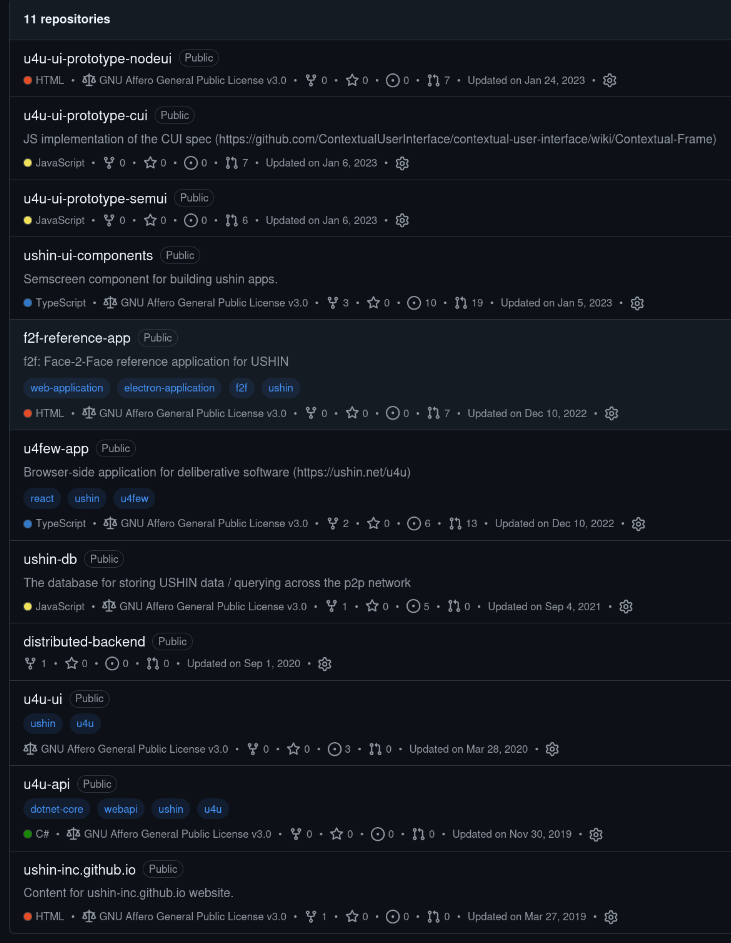
Various Ideas for ushin software in github – since then to sourcehut
U4U apps: in development
U4U is the online user experience of tagging with ushin shapes using various interfaces, primarily displaying information on a semantic screen. The ushin semantic screen, or semscreen, is a gamified way to sort information by the 8 kinds of meanings.
See below for latest in development. The following is an introduction to vision.
U4U shapes for ushin wherever you are
The vision is to offer interoperative tagging on deliberative interfaces using u4u tools with open, decentralized distribution using existing and new protocols free for any and all platforms and systems.
The working minimum viable product app described above, for tagging input with shapes, is still best demonstrated by u4u.io, even though currently the semantic display lacks a “backend” for storing, sharing and handling semscreens. Without access to other semscreens all lists of semscreens and peers, and all other means of displaying results, are missing as well.
USHIN instances in early design stage
1ata – focused personal action app

1ata was conceived for people recovering from brain-injury. For fresh injury the app would convey prompts step by step, one at a a time. Users could find where things were in the home, review faces, names and roles, read facial expression for different moods, be reminded what to do at a specific time, and meet needs with custom strategies.
The main point of the semantic screen may be the only word or image on the screen, with related information by screen region, paced by recovery. More advanced uses of the program would help busy people find, compare, sort and handle contacts, events, tasks and messages, among common platforms and systems. An extension of David Allen’s “Getting Things Done” methodology, it would include an inbox, a scheduler and means of prioritizing and organizing one’s own information around tasks and private messaging with ushin shapes. Rather than plan complex tasks the app could prompt the next step.
u4few – notetaking for meetings
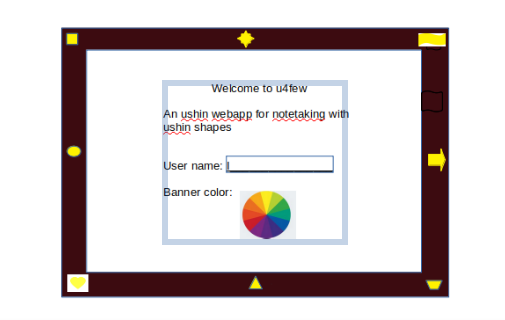

u4few was conceived as a program for taking notes during a meeting. It offered a timeline for topics and decision so it would be easy to find what was said by topic, person, time or tag, view related documents, and deliberate using shapes in a small group process. Participants would sign in with name or handle to show up in the conversation. Participants would tag their input for easy finding later.
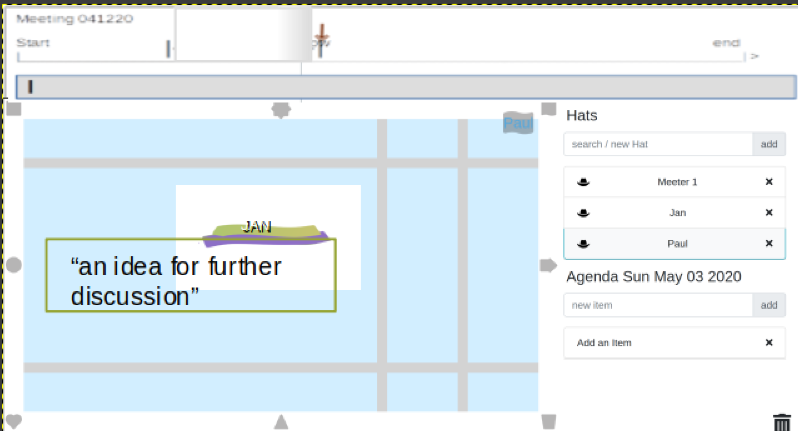
The app idea used hat icons that people would choose as their avatar, to express a role in the group. People could have more than one hat in a meeting, therapeutic session, or dialogue.
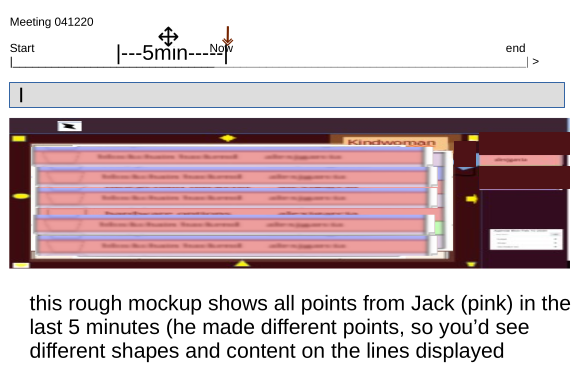
The meeting app was designed to show points made within a period of time:
u4few introduced a way to indicate a guess, or question, to distinguish input from an author’s perspective with shape outlines:

u2u2u – an ushin dashboard

u2u2u was conceived as a dashboard for people to connect their own information with and among various platforms through custom filters for topics and other ushin shapes.
Examples include scheduling a simple reminder connected to several shapes and labels; constructing complex messages with nuanced content; connecting various sources of information around a topic, following up on parts of conversations, even single words..
Adoptacode
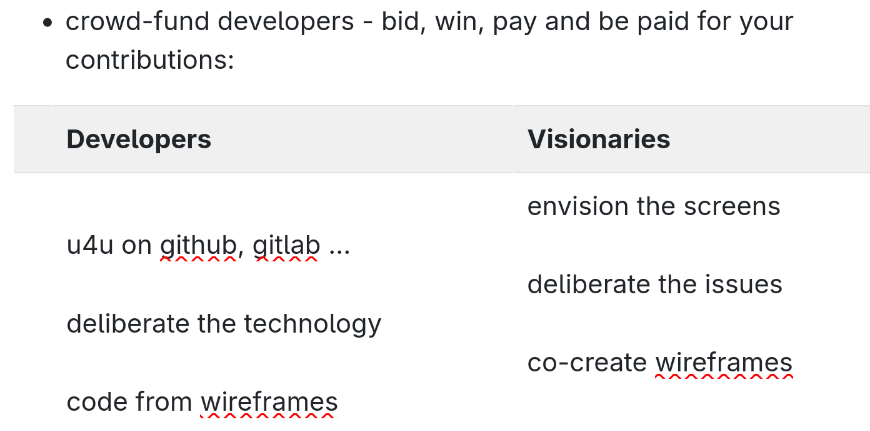
Adoptacode was an idea for software connecting community around ideas and developers and creatives who can make them happen. Site visitors could deliberate an object on the site and suggest features and offer payment when complete. Advanced interfaces would offer mockup of desired tools based on ushin screens.
On Imbue.im site visitors may be able to “swingasong” if they’d like to hear an a musician render a version, or adjust a score, or add a track. After selecting the segment someone could use the ushin screen to send a request with a proposal. Payments would be handled privately through personal connections, not through the webpage.
Contests for art could also be collaboratively judged with ushin shapes.
Imbue.im – a documusical about ushin – in the making

This creative endeavor is to test other instances of ushin online deliberation and collaboration and to artistically explain ushin shapes and why bother with them. See Imbue.im.
Sites – plan
ushin.org – home of the nonprofit, concept
imbue.im – documusical about ushin
1ata.org- software for g.t.d.
ushin.us – open community deliberations
ushin.info – ushin-focused community input
f2f.life – offine tools, events
u2u2u.net – dashboard of user tools
ushin.net – development home